

Apple Notes vs a recipe app for saving TikTok recipes
Short answer
Apple Notes works if you type or paste the recipe text yourself, and it is already on your iPhone. Recepti saves you the typing: paste the TikTok or Instagram link and it writes out the ingredients and steps, including recipes that are only spoken in the video.
Side by side
| Apple Notes | Recepti | |
|---|---|---|
| Getting the recipe in | Type it, or paste the caption | Paste the link |
| Spoken-only recipes | You transcribe it | Recepti transcribes it |
| Credit and link | If you add it | Always kept |
| Servings | Do the math yourself | Plus and minus buttons |
| Devices | Apple devices | Any browser |
When Notes is the right call
- Family recipes you are writing from memory
- Your own tweaks to a recipe
- Shopping lists
When a recipe app is easier
- Recipes from videos with no caption
- Long lists you do not want to retype
- Sharing a recipe with someone on Android

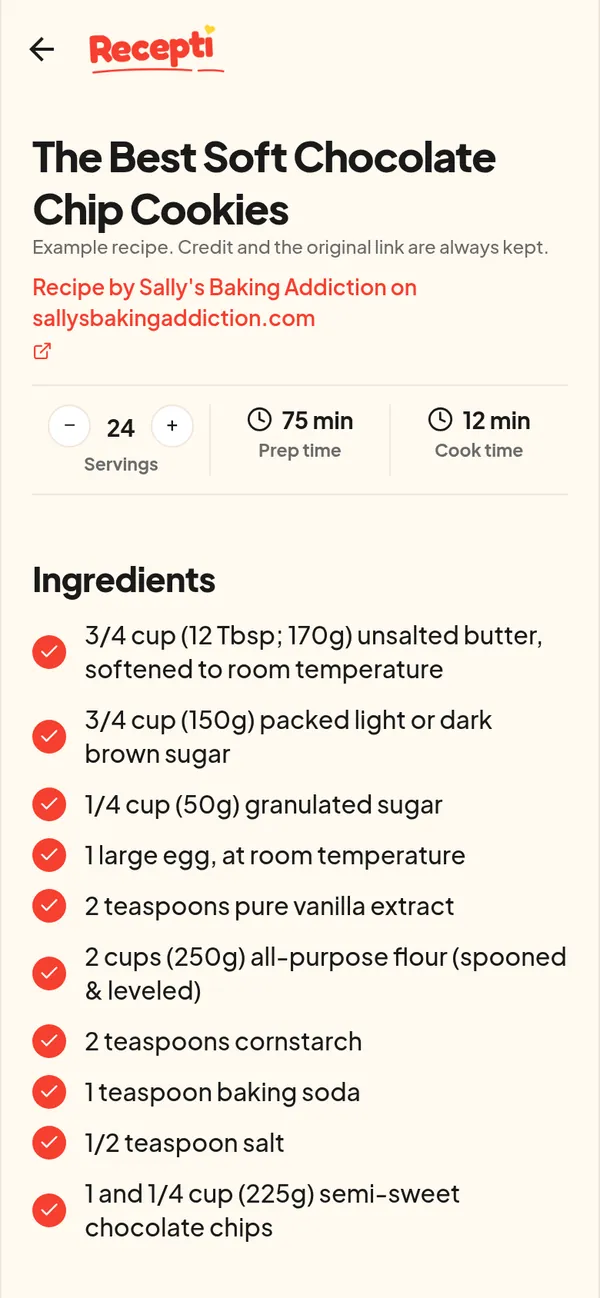
Paste a link and see what Recepti saves.
Try Recepti in your browserFree. No download. Start as a guest.
Questions
What about an iPhone Shortcut that saves TikTok captions?
Shortcuts can copy a caption into Notes, but they only get what was written. Many recipes are only said in the video.
Can I keep my notes and use Recepti?
Of course. Many people keep tweaks in Notes and the recipe itself in Recepti.