

TikTok recipe to text: get the ingredients and steps written out
Short answer
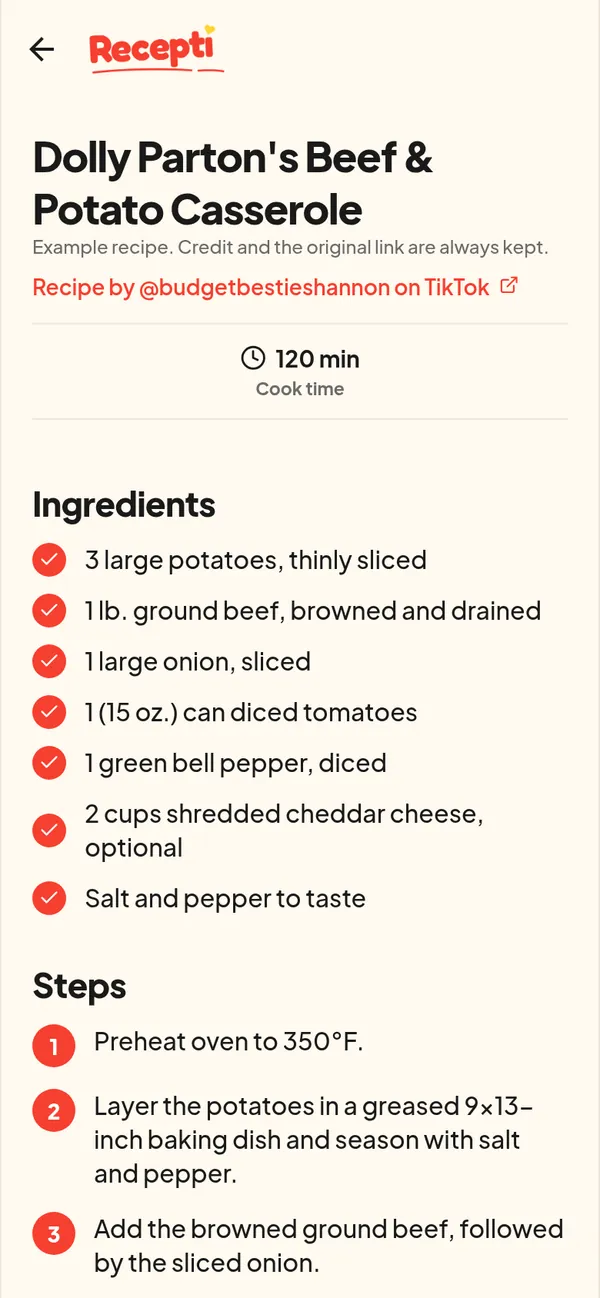
Paste the TikTok link into Recepti. It reads the caption, and when the recipe is only in the video it transcribes what is said and checks video frames, then gives you a written ingredient list and numbered steps.
Cooking from a video means pausing, rewinding and squinting at text on screen. A written version fixes all three. You can read the whole ingredient list before you shop, and follow numbered steps with messy hands.
Three ways to get the text
| Method | Effort | What you get |
|---|---|---|
| Type it out while pausing the video | High | Whatever you manage to catch |
| Copy the caption into your notes | Low | Only what the creator wrote, often no amounts |
| Paste the link into Recepti | Low | Ingredients and numbered steps, plus credit and a link back |
How to do it in Recepti
- Copy the TikTok link from the Share menu.
- Open Recepti and tap +.
- Paste the link and tap Import recipe.
- Review the result against the video once, the same way you would proofread notes, and save.
Check these before you cook
- Amounts said out loud. Spoken amounts like "a splash" stay vague. Decide your own amount and write it in your head before you start.
- Oven temperature and time. These are the numbers people most often miss in a video.
- Pan size. It changes cooking time more than most ingredients do.
For a fuller pre-cooking list, see the TikTok recipe checklist.
Paste a link and see what Recepti saves.
Try Recepti in your browserFree. No download. Start as a guest.
Questions
Can I change a saved recipe?
You can rename a saved recipe, mark it as a favourite or delete it. For anything Recepti could not read, the original video is one tap away with View original post.
Does it work for long videos?
It works from the link of a public post. Longer videos with clear narration tend to give the most complete result.