

Turn an Instagram Reel into a written recipe
Short answer
Copy the Reel link and paste it into Recepti. When the caption does not include the full recipe, Recepti transcribes the audio and checks video frames, then gives you ingredients and steps with a link back to the Reel.
A Reel is built to be watched once, quickly. That is the opposite of how you cook. You need to see the whole list before you start and go step by step at your own pace.
From Reel to recipe
- Open the Reel and tap the paper plane icon, then Copy link.
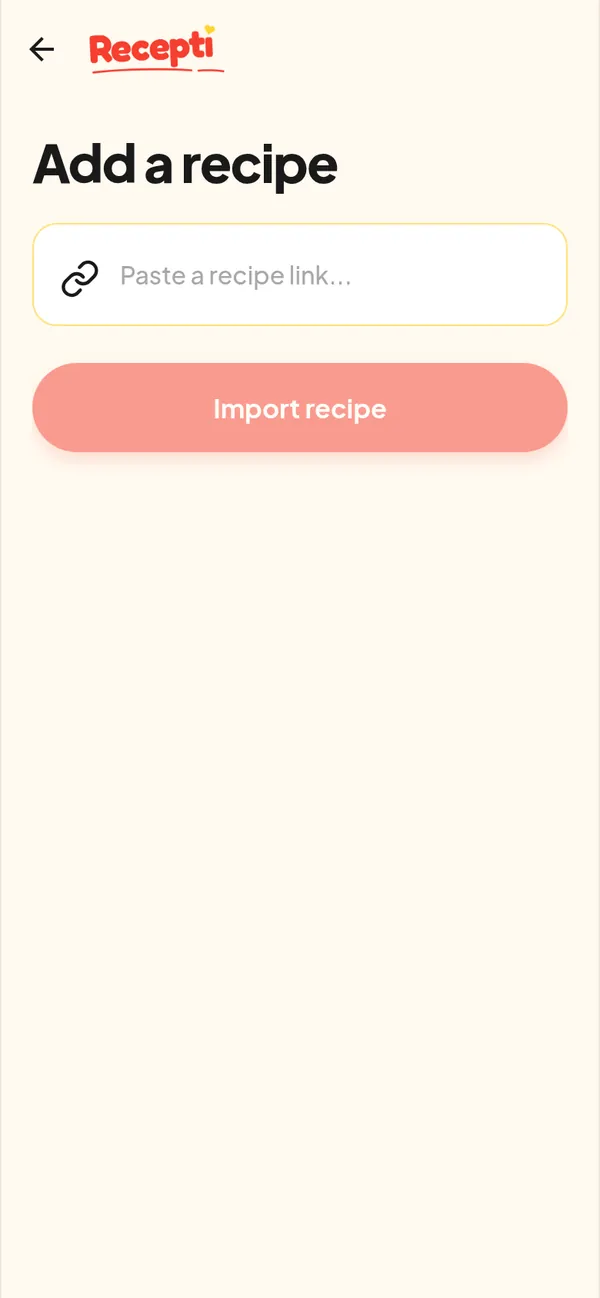
- Open Recepti and tap +.
- Paste and tap Import recipe. Video imports take a little longer than blog links because there is more to read.
- Review the ingredients and steps and save.
Why some Reels import better than others
| The Reel has... | What to expect |
|---|---|
| Full recipe in the caption | The cleanest result, usually with exact amounts |
| A link to a blog recipe in the caption | Recepti follows the link and reads the full recipe |
| Amounts said out loud | Good result if the narration is clear |
| Music only, text on screen | Recepti looks at video frames; check amounts against the video |
Tip: after importing, open View original post once and skim the video at 2x speed. It takes 30 seconds and catches anything that only appeared on screen.
Paste a link and see what Recepti saves.
Try Recepti in your browserFree. No download. Start as a guest.
Questions
How long does a Reel import take?
Usually longer than a blog link, because the video has to be read. The server can also take a few seconds to wake up if nobody used it for a while.
Is the Reel video stored by Recepti?
No. Videos are used only to read the recipe and temporary files are deleted after processing.