

How to print a recipe without ads
Short answer
Look for the Print button on the recipe card first; most food blogs have one that prints just the recipe. Otherwise use reader mode and print from there, or copy the recipe onto the free Recepti recipe card template.
1. Use the blog's own Print button
Most recipe plugins add a Print button to the recipe card. It opens a page with only the recipe and usually lets you hide photos to save ink. This is the best option and supports the blog.
2. Reader mode, then print
Open the page in your browser's reader mode and print from there. Ads and sidebars are gone. Check that the ingredient amounts came through correctly.
3. Print to PDF and trim
Choose Print, then Save as PDF, and pick only the pages with the recipe. Handy for a recipe binder on your computer.
4. Write it on a card
For family favorites, write it out. Our printable recipe card has space for ingredients, steps, servings and where the recipe came from.
Cooking from your phone instead
If you print mostly to avoid ads while cooking, saving the recipe in Recepti may be enough. The saved recipe shows ingredients with check marks and numbered steps. Recepti does not have a print button today.
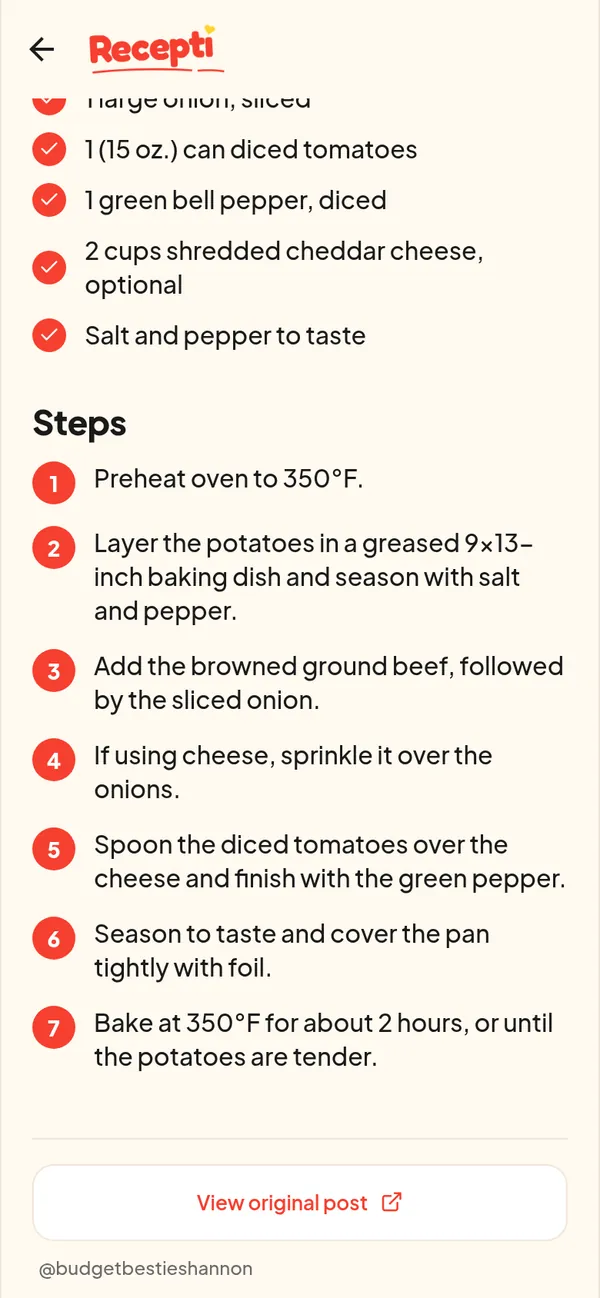
Paste a link and see what Recepti saves.
Try Recepti in your browserFree. No download. Start as a guest.
Questions
Why does my printout have 9 pages?
You printed the whole web page. Use the recipe card's own Print button or reader mode instead.
Does Recepti print recipes?
Not today. It is built for cooking from your phone, with a link back to the original page.